AMASC01 – AllSky Camera
The AMASC01 is a robust AllSky camera designed for continuous sky monitoring in astronomical and environmental applications. It combines high-sensitivity imaging with integrated environmental sensors and weatherproof construction.
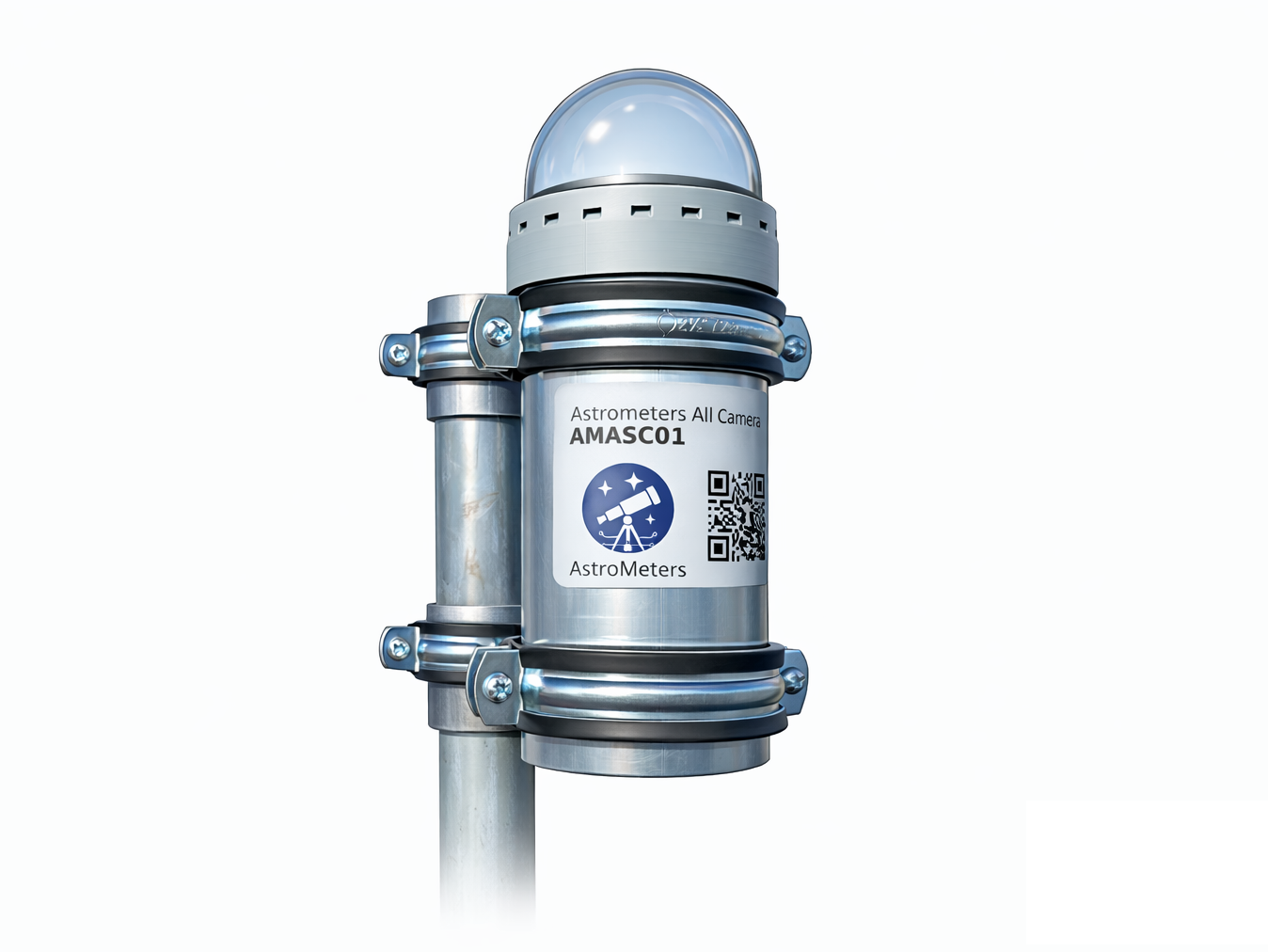
Overview
AMASC01 integrates the Sony IMX477 image sensor (12.3 MP, 1.55 μm pixel size) with a 180° fisheye lens, providing excellent low-light performance for night-sky imaging. The camera is housed in a weather-resistant enclosure with a heated dome and active ventilation, enabling year-round outdoor operation.
Key Features
- Sony IMX477 sensor – 12.3 MP with superior low-light sensitivity
- 180° fisheye lens – complete sky coverage with accessible precision focusing
- Heated dome & active ventilation – prevents fogging and condensation
- Integrated environmental sensors – temperature, humidity, and pressure monitoring
- Real-Time Clock (RTC) – accurate timestamping without internet dependency
- Power over Ethernet (PoE) – single-cable installation via 1000BASE-T Ethernet
- Pre-configured software – ships ready to operate with web-based interface
- Designed for continuous outdoor use in observatory conditions
Power & Connectivity
- Interface: 1000BASE-T Ethernet (Gigabit)
- Power: Power over Ethernet (PoE) IEEE 802.3af/at
- Single Cable: Combined data and power delivery
Separate Power Input: If you need separated power supply (non-PoE), this can be implemented upon request. There are various cases whet you can’t use PoE, and we can accommodate these needs. In that case, please, contact us.
Timing
- RTC: Real-Time Clock for accurate timestamping
- Offline Operation: Functions without continuous internet connection
Software
The AMASC01 camera is shipped fully pre-installed and pre-configured. All required software components, system settings, and operational parameters are prepared at the factory, allowing the camera to function immediately after installation.
Base Software Stack
The included software is based on the open-source project:
AllskyTeam/allsky: https://github.com/AllskyTeam/allsky
In addition to the base software, AMASC01 includes pre-configured settings and hardware management tools for controlling camera-specific components such as dome heating, ventilation, and anti-dew systems. Proper hardware control is essential for reliable long-term operation and image quality. For detailed information about the thermal management system, see the Thermal Control documentation.
Key features include:
- Web-based user interface for configuration and monitoring
- Exposure and imaging parameter control
- Image masking capabilities for excluding unwanted areas
- Data processing pipeline with numerical operations
- Modular and customizable architecture
- Image archiving and timelapse generation
- Overlay support for metadata display
- Hardware management interface for dome heating, ventilation control, and environmental monitoring
Operation
- Connect the camera via Ethernet/PoE cable
- Access the web interface (IP or hostname)
- Configure imaging parameters as needed (optional)
- Start capturing images immediately
No complex modifications or manual configuration steps are required for basic operation.
Optional and Future Software Solutions
AstroMeters is developing optional software variants aimed at specialized observational tasks. Planned extensions include:
- High-precision meteor and bolide detection – specialized algorithms for transient event detection
- Enhanced data processing pipelines – event-specific analysis and classification
- Scientific data export tools – integration with research workflows and databases
- Lightning detection – specialized detection for atmospheric electrical activity
- Custom outputs based on customer requests – feel free to contact us with your requirements
These upcoming modules will expand the potential of the AMASC01 for users requiring advanced analytical features or specialized observational capabilities.
Installation
For complete step-by-step installation instructions, including mounting, power connection, focusing, and initial configuration, please refer to the AMASC01 Installation Guide.
Applications
Astronomical Observations
- All-sky meteor and bolide monitoring
- Aurora detection and imaging
- Light pollution assessment
- Sky quality monitoring
- Satellite tracking
Environmental Monitoring
- Weather condition documentation
- Cloud coverage analysis
- Lightning detection
- Long-term climate observation
Research & Education
- Time-lapse sky imaging
- Atmospheric phenomena research
- Public outreach and education
- Observatory automation integration
Maintenance
Regular Checks
- Inspect dome for dirt, debris, or condensation buildup
- Verify heating and ventilation systems are functioning
- Check cable connections for weather damage
- Review image quality periodically
Cleaning
- Clean optical dome with appropriate lens cleaning solution
- Use soft, lint-free cloth to avoid scratches
- Power off camera during cleaning
- Ensure dome is dry before powering on
Software Updates
- Check for firmware updates periodically
- Follow manufacturer’s update procedures
- Back up configuration before updates
Additional Resources